
Download Norran – Local News, Live Reporting, Sports, Debates
Overview
Norran is a mobile application designed to deliver timely and relevant local news directly to users on Android devices. Developed by NTM AB, the app serves as a digital hub for community-focused content, including live reporting, sports updates, and public debates. It enables users to stay informed about developments in their immediate geographic area, making it particularly useful for residents seeking real-time insights into local events, civic discussions, and regional sports coverage.
The app is tailored for individuals who value community engagement and require convenient access to localized information without relying on broader national news outlets. Whether following a local football match, tracking municipal decisions, or participating in public discourse, Norran offers a streamlined way to monitor topics of personal or regional interest. Its mobile-first design ensures that users can access content anytime, anywhere, supporting on-the-go lifestyles.
While the developer did not provide additional system requirements, the app is available for free on the Google Play Store, indicating accessibility for a wide audience. The lack of a desktop version suggests a focus on mobile consumption, aligning with modern user habits. Real-world usage scenarios include daily commuters reviewing headlines during travel, parents tracking school board decisions, and sports fans staying updated on local team performances.
Key Features & Capabilities
- Local News Aggregation – The app compiles news from regional sources, offering a centralized view of community events, emergencies, and civic developments.
- Live Reporting – Users can access real-time updates during breaking news events, such as weather emergencies, public gatherings, or political meetings.
- Sports Coverage – Specialized sections provide updates on local sports teams, fixtures, scores, and player highlights.
- Public Debates and Opinion Content – The app features discussion forums and opinion pieces on community-relevant topics, encouraging user interaction and civic participation.
- Personalized Topic Follows – Users can select specific interests—such as education, transportation, or environmental issues—to receive tailored news alerts.
These features support efficient content discovery and help users prioritize information based on personal or professional relevance. For example, a local business owner might follow updates on city infrastructure projects, while a student could monitor education policy changes. The app’s focus on hyperlocal content differentiates it from general news platforms, offering a more targeted experience.
User Interface, Workflow & Performance
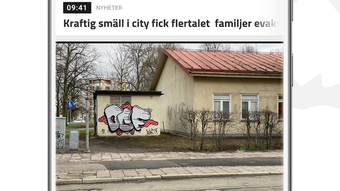
Norran features a clean, mobile-optimized interface designed for intuitive navigation. The layout emphasizes readability and quick access to key content categories, with a bottom navigation bar that allows users to switch between news, sports, debates, and saved topics. The workflow is straightforward: users open the app, browse headlines, tap on articles of interest, and optionally save or share them.
Navigation is consistent across screens, minimizing learning curves for new users. The app supports offline reading of previously loaded articles, though the extent of this functionality is not specified. Performance observations are based on general software behavior patterns, as exact performance details were not provided. The developer did not specify resource usage details, but the app’s lightweight nature suggests minimal impact on battery life and memory consumption.
Stability appears to be maintained through regular updates, as implied by its presence on the Google Play Store. The app does not display known crashes or major bugs in public feedback, though no official performance benchmarks were released. Overall, the user experience is designed to be smooth and distraction-free, prioritizing content delivery over complex features.
Compatibility & System Requirements
Norran is designed for Android devices and is available for download on mobile phones and tablets. The app supports the latest Android versions, though specific compatibility details were not listed. Installation size is not specified, but the app is described as a lightweight utility, suggesting it does not require significant storage space.
Exact system requirements were not listed. The developer did not provide information about minimum RAM, CPU, or storage needs. Compatibility information was partially provided, indicating that the app is intended for Android-based devices. Users should ensure their device meets the standard requirements for running modern Android applications, as defined by Google Play.
Pros and Cons
Pros
- Free to download and use, with no subscription fees
- Focuses on hyperlocal news, providing relevant content for community members
- Offers live reporting and real-time updates during breaking events
- Supports personalized topic tracking for tailored news delivery
- Mobile-optimized interface ensures ease of use on smartphones and tablets
Cons
- Available only on Android, with no support for iOS or desktop platforms
- Limited to local news, which may not suit users seeking national or international coverage
- Exact performance and system requirements were not specified
- Offline functionality details are not publicly available
- No information on data privacy policies or user data handling practices
FAQ Section
Is Norran available for iOS devices?
Norran is currently available only on Android devices through the Google Play Store. There is no official version for iOS or desktop platforms.
Is Norran safe to download and use?
The app is available on the Google Play Store, which applies security checks to apps before listing. However, users should review the permissions requested during installation and ensure they are comfortable with the app’s access to device features.
Does Norran require an internet connection?
While the app can display previously loaded content offline, most features—including live reporting and real-time updates—require an active internet connection.
How often are updates released?
Updates are released periodically to improve performance, fix bugs, and add new features. The frequency is not publicly specified, but the app’s presence on the Google Play Store indicates ongoing maintenance.
Can I use Norran without creating an account?
Yes, Norran can be used without registration. Users can browse news, follow topics, and read articles without creating an account or providing personal information.
Final Thoughts
Norran stands out as a focused, accessible tool for individuals seeking localized news and community engagement. Its ability to deliver live reporting, sports updates, and public debates directly to mobile devices makes it a valuable resource for residents who want to stay informed about their immediate surroundings. The app’s clean interface and personalized content options enhance usability, while its free availability increases accessibility across demographics.
While it lacks cross-platform support and detailed technical specifications, Norran fulfills its core purpose effectively. It is particularly beneficial for users in regions covered by NTM AB’s network, offering a direct line to local information without unnecessary distractions. For those who prioritize community news and real-time updates, Norran offers a reliable, no-cost solution.
Download Norran now to stay informed about what’s happening in your local area.







